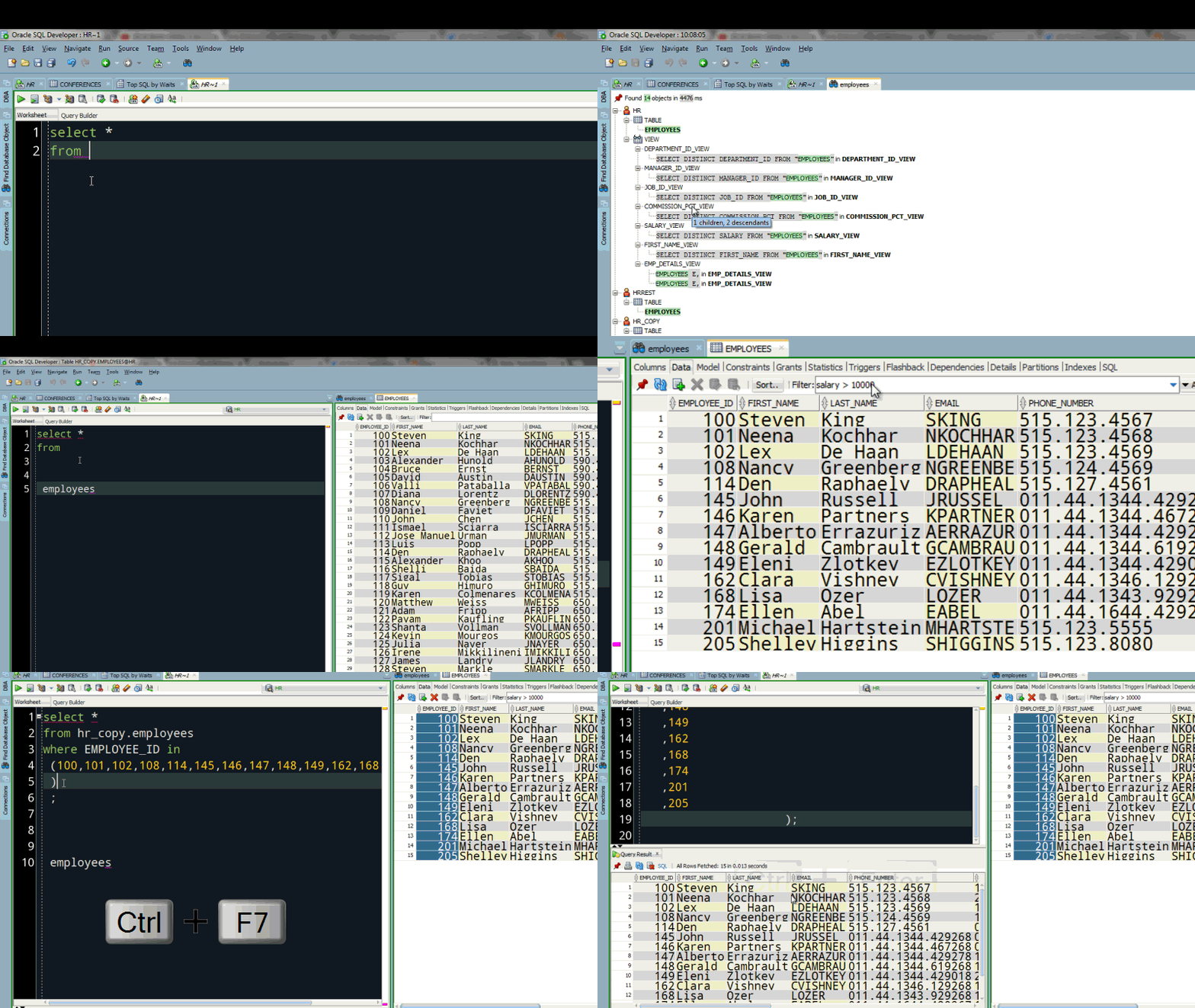
Online Assessment
To successfully complete an SQL course, students must meet certain prerequisites and have access to the necessary tools.
Before taking an SQL course, students should have a basic understanding of:
✅ Basic Computer Skills – Understanding of file systems, software installation, and using command-line tools (optional).
✅ Mathematical & Logical Thinking – Basic knowledge of sets, relationships, and Boolean logic.
✅ Fundamentals of Databases (Optional) – Understanding of tables, rows, and columns is helpful but not required.
For advanced SQL courses, knowledge of database design, normalization, and programming languages like Python or Java is recommended.
To practice SQL queries and database management, students need access to:
✅ SQL Database Management System (DBMS) – Choose any of the following:
✅ SQL Query Editor or Client
✅ Command-Line Interface (Optional)
✅ Cloud-Based SQL Platforms (Optional)
✅ Programming Language for SQL Integration (Optional)
sqlite3, SQLAlchemy, Pandas)JDBC)✅ Device – Laptop or desktop computer (Windows, macOS, or Linux)
✅ RAM – Minimum 4GB (8GB+ recommended for handling large databases)
✅ Storage – At least 10GB free disk space for database files
✅ Internet Connection – Required for downloading software, accessing documentation, and cloud-based databases
A standard SQL Quiz consists of:
📌 Lectures & Tutorials – Understanding theoretical concepts and database design
📌 Hands-on Query Writing – Writing SQL queries to manipulate and retrieve data
📌 Database Design & Optimization Exercises – Creating and managing efficient databases
📌 Quizzes & Assessments – Testing comprehension of SQL concepts
📌 Mini-Projects – Developing small database-driven applications
📌 Final Capstone Project – Designing a complete database system for a real-world scenario
By the end of an SQL Quiz, students will have a solid understanding of database management, query writing, and data manipulation using SQL. They will be able to design, implement, and optimize databases for real-world applications.
✅ Explain the concept of databases, tables, and relationships.
✅ Understand different types of databases (Relational vs. NoSQL).
✅ Explain DBMS vs. RDBMS (Database Management System vs. Relational Database Management System).
✅ Use SELECT, FROM, WHERE to retrieve data from a database.
✅ Apply ORDER BY, GROUP BY, and HAVING for data sorting and grouping.
✅ Use DISTINCT to filter unique records.
✅ Insert, update, and delete records using INSERT, UPDATE, DELETE.
✅ Modify existing data while maintaining data integrity.
✅ Create and modify databases and tables using CREATE, ALTER, DROP.
✅ Define constraints like PRIMARY KEY, FOREIGN KEY, UNIQUE, NOT NULL, CHECK.
✅ Understand data types used in SQL (INT, VARCHAR, DATE, etc.).
✅ Implement different types of JOINs:
✅ Write nested queries (subqueries) inside SELECT, FROM, WHERE clauses.
✅ Use EXISTS, IN, and ANY/ALL for advanced filtering.
✅ Understand Common Table Expressions (CTEs) and recursive queries.
✅ Understand indexes to optimize SQL queries.
✅ Create and manage Views for reusable queries.
✅ Write Stored Procedures and Functions to automate database tasks.
✅ Use TRANSACTION, COMMIT, and ROLLBACK for database consistency.
✅ Understand ACID properties (Atomicity, Consistency, Isolation, Durability).
✅ Implement triggers to automate database updates.
✅ Connect SQL databases with Python, Java, or other programming languages.
✅ Perform CRUD operations using MySQL, PostgreSQL, SQL Server, or SQLite.
✅ Optimize queries for better performance and scalability.
Students will demonstrate their understanding through:
✅ Hands-on SQL query writing exercises
✅ Database design projects
✅ Quizzes & problem-solving challenges
✅ Final capstone project (Building a complete database system)
By the end of an SQL Quiz, students will have a solid understanding of database management, query writing, and data manipulation. They will be able to design, implement, and optimize databases for real-world applications.
✅ Explain the concept of databases, tables, and relationships.
✅ Differentiate between Relational and Non-Relational Databases.
✅ Understand DBMS vs. RDBMS (Database Management System vs. Relational Database Management System).
✅ Retrieve data using SELECT, FROM, WHERE statements.
✅ Use ORDER BY, GROUP BY, and HAVING for data sorting and filtering.
✅ Apply DISTINCT to remove duplicate records.
✅ Insert, update, and delete records using INSERT, UPDATE, DELETE.
✅ Modify existing data while maintaining data integrity.
✅ Create and modify databases and tables using CREATE, ALTER, DROP.
✅ Define constraints like PRIMARY KEY, FOREIGN KEY, UNIQUE, NOT NULL, CHECK.
✅ Understand data types used in SQL (e.g., INT, VARCHAR, DATE, BOOLEAN).
✅ Implement different types of JOINs:
✅ Write nested queries (subqueries) inside SELECT, FROM, WHERE clauses.
✅ Use EXISTS, IN, and ANY/ALL for advanced filtering.
✅ Understand Common Table Expressions (CTEs) and recursive queries.
✅ Understand indexes to optimize SQL queries.
✅ Create and manage Views for reusable queries.
✅ Write Stored Procedures and Functions to automate database tasks.
✅ Use TRANSACTION, COMMIT, and ROLLBACK to maintain database consistency.
✅ Understand ACID properties (Atomicity, Consistency, Isolation, Durability).
✅ Implement triggers to automate database updates.
✅ Connect SQL databases with Python, Java, or other programming languages.
✅ Perform CRUD operations using MySQL, PostgreSQL, SQL Server, or SQLite.
✅ Optimize queries for better performance and scalability.
Students will demonstrate their understanding through:
✅ Hands-on SQL query writing exercises
✅ Database design projects
✅ Quizzes & problem-solving challenges
✅ Final capstone project (Building a complete database system)
SQL
No Review found
 Static
 Static